Give minutes
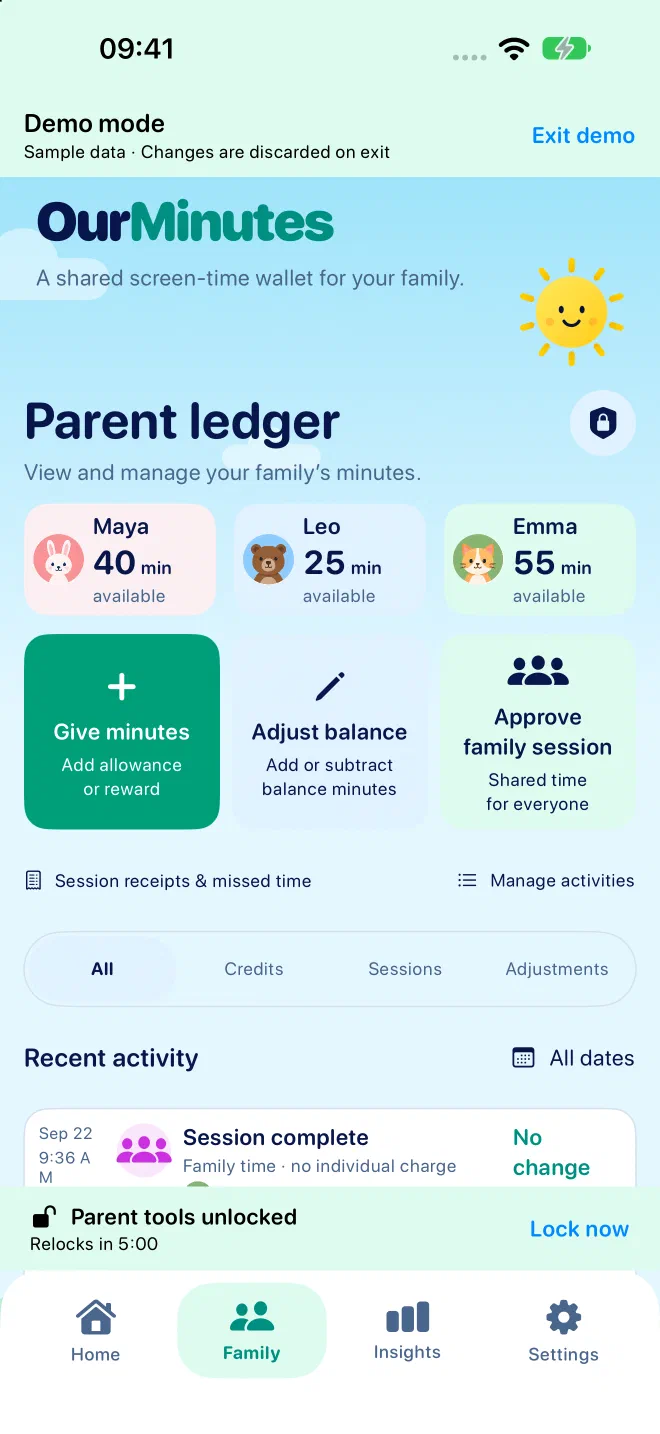
Add time when you choose, or set a daily or weekly allowance. Keep unused minutes or reset the balance with each allowance.
 OurMinutes
A shared screen-time wallet for the family
Make your TV and gaming agreement easy to see. Children check their minutes and start a session. Parents give time and keep track, all on one shared iPhone or iPad.
One household. Everyone's minutes.
Choose who's joining and for how long. Each child sees their own balance and expected charge before the timer starts.
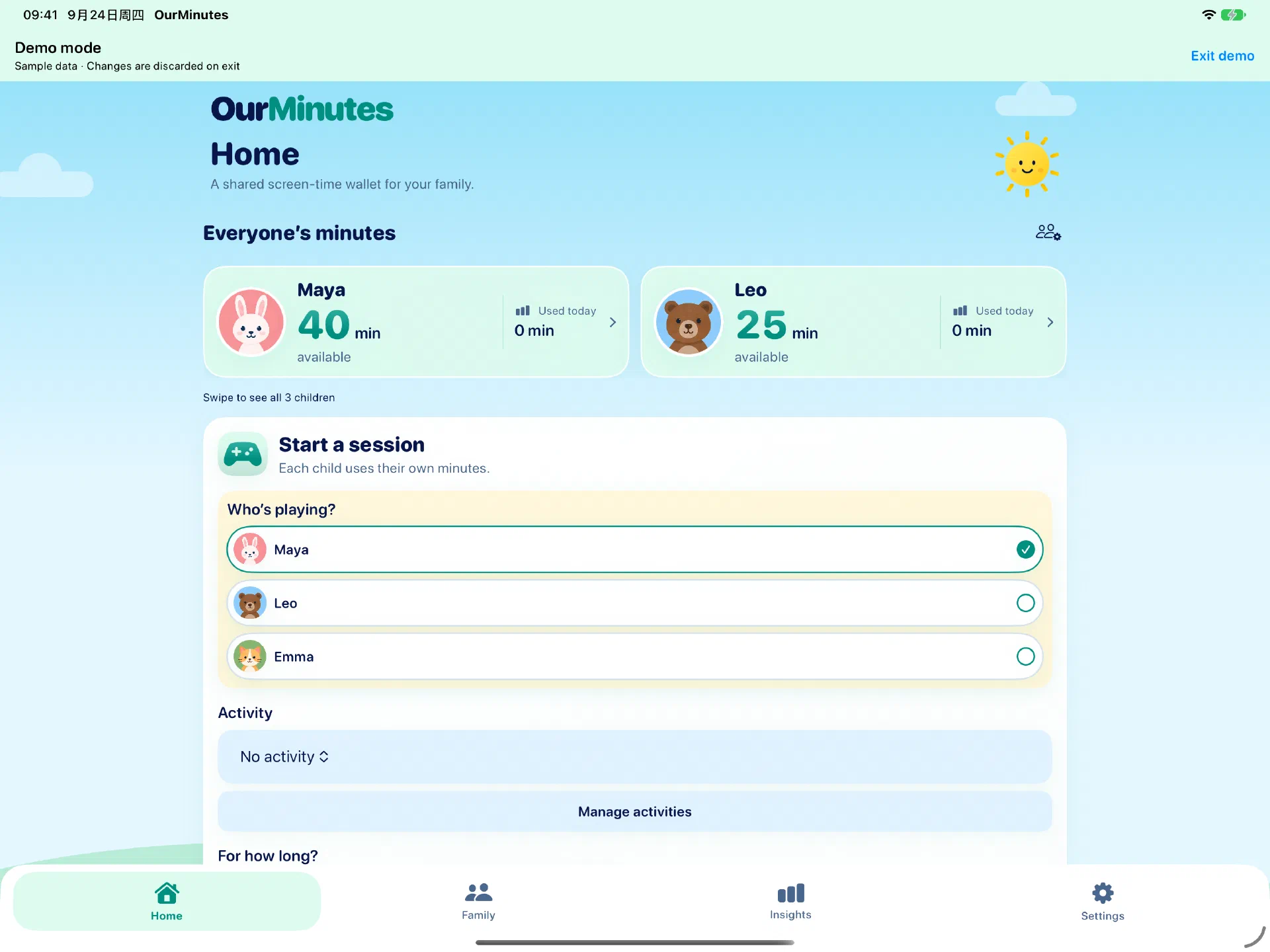
Add time when you choose, or set a daily or weekly allowance. Keep unused minutes or reset the balance with each allowance.
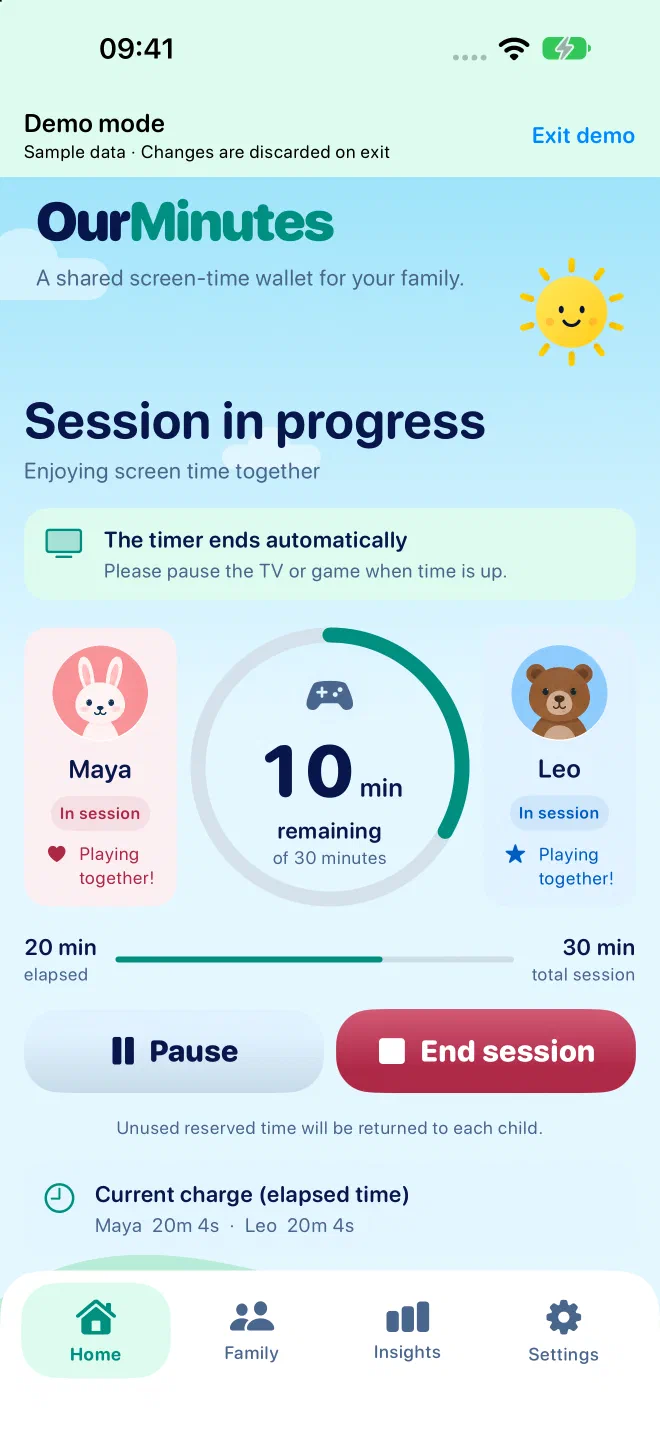
One timer, one or more children. Each participant uses their own minutes. Pause together, record someone leaving or stop early.
A receipt shows the time charged and returned. Parents can correct a mistake, record a missed session or approve a free family session.
While everyone is watching
Unused reserved minutes return when you end early. If two children watch for 20 minutes, each spends 20 minutes, even when they share the same screen.
OurMinutes keeps the timer and records. Your family pauses the TV or game when time is up.
Built for a shared device
No child accounts or automatic screen monitoring. Names, balances and session history stay on your device. A parent PIN protects credits and corrections, and you can export a household backup through Files.
How your data is handled →A few useful details
OurMinutes is in development for iPhone and iPad. There is no public download yet. This page will be updated when a public build is available.
The development app includes Try demo with sample data on the welcome screen and in Settings. Explore a separate sample household, then Exit demo to discard its changes. Your real records and parent access stay unchanged; demo mode sends no notifications.
You can enable a two-minute warning and a time-up notification. Delivery depends on notification permissions, Focus and device settings. The app does not automatically block or turn off a TV or console.
The current version is for caregivers sharing one device. It has no cross-device sync or remote approvals. You can export a backup and restore it on another device; restoring replaces that device's household.